

Our Verdict
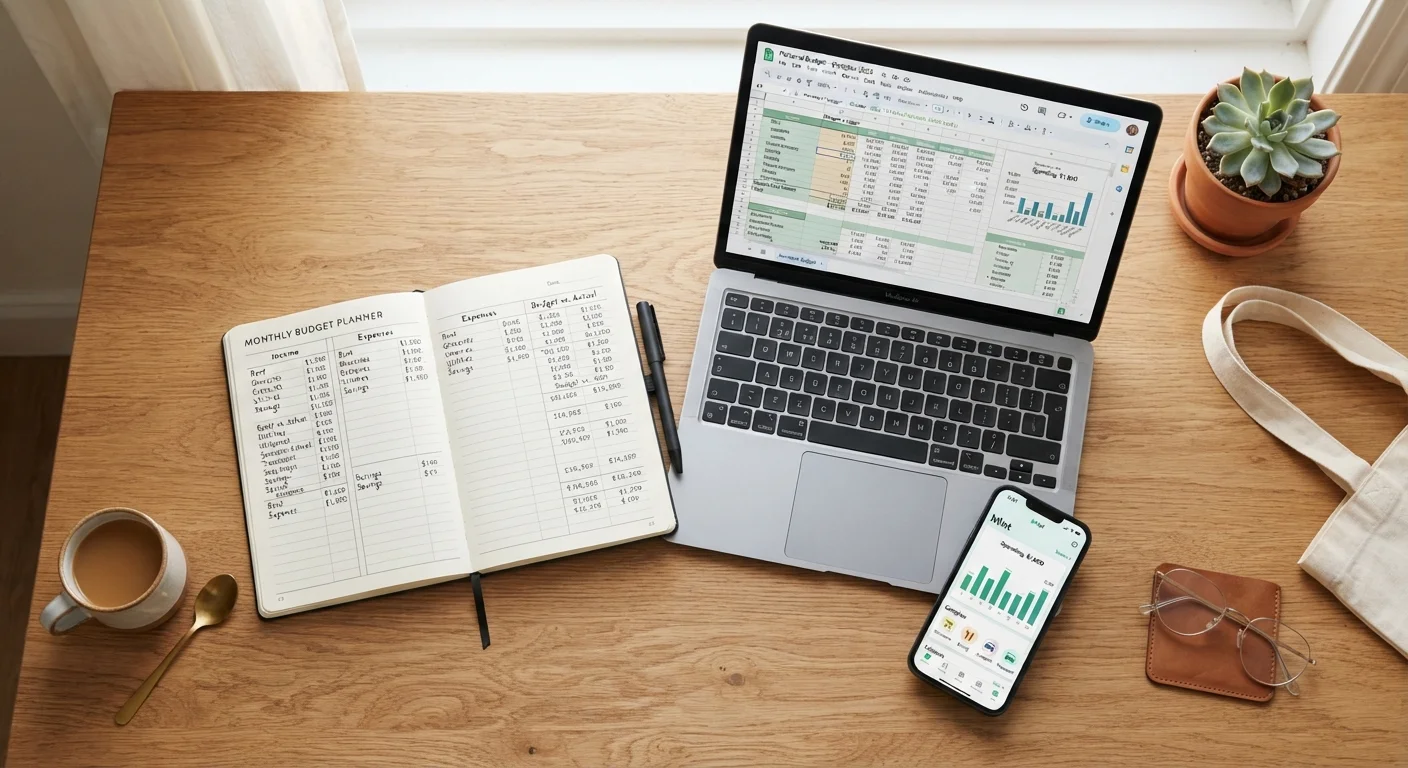
No single budgeting format is objectively superior - each suits a different type of person and household. Paper works best for tactile, detail-oriented planners who benefit from slowing down. Spreadsheets suit analytical thinkers who want full control without cost. Apps fit busy people who need automation and real-time visibility. The right choice depends on your habits, comfort with technology, and how much time you can realistically commit.
| Best for | Recommended |
|---|---|
| Visual learners and those building new money habits | Paper budgets |
| Data-driven planners who want customization at no cost | Spreadsheets |
| Busy households wanting automated tracking and alerts | Budgeting apps |
| Freelancers and workers with variable income needing flexibility | Spreadsheets or hybrid approach |
Why Your Budgeting Tool Matters More Than You Think
Choosing a budgeting method isn't just about preference - it directly affects whether you stick with it. A 2023 report from the Consumer Financial Protection Bureau found that consistent budget tracking, regardless of format, is one of the strongest predictors of household financial resilience. Yet many people abandon budgeting not because they lack discipline, but because they chose a format that doesn't match their lifestyle.
This comparison breaks down the three most common approaches - pen-and-paper, spreadsheets, and budgeting apps - across the dimensions that matter most for everyday American households. For context on how budgeting frameworks differ beyond just the tools, see the comparison of zero-based budgeting and the 50/30/20 rule.
| Paper Budget | Spreadsheet | Budgeting App | |
|---|---|---|---|
| Cost | Free (minimal supplies) | Free (most platforms) | Free to ~$15/month |
| Setup time | Very low | Moderate to high | Low to moderate |
| Automation | None | Partial (formulas) | High (bank sync) |
| Flexibility | High | Very high | Low to moderate |
| Privacy risk | None | Minimal | Moderate (data sharing) |
| Best for beginners | Yes | Moderate | Yes (if tech-comfortable) |
| Ongoing effort | High (manual) | High (manual) | Low (automated) |
Paper Budgets: The Case for Going Analog
Writing a budget by hand forces deliberate thinking. Research in cognitive science consistently shows that handwriting engages deeper processing than typing, which means you're more likely to internalize spending categories when you write them down. For people rebuilding their relationship with money or starting fresh, this friction is a feature, not a flaw.
What paper does well:
- Zero cost - a $2 notebook is sufficient
- No app, login, or internet required
- Highly tactile and memorable for visual learners
- No data privacy concerns
Where it falls short:
- Math errors are easy to make and hard to catch
- Tracking variable expenses throughout the month requires discipline
- No automatic summaries, alerts, or rollover calculations
Paper budgets pair naturally with physical cash-based systems. If that approach interests you, the cash envelope method is a related framework worth exploring alongside a written budget.
Start Simple, Then Upgrade
If you're new to budgeting, start with paper for one full month before switching to a spreadsheet or app. The manual process forces you to learn your spending patterns in a way that automation can't replicate. Once you understand where your money goes, you'll be far better equipped to set up any digital system effectively.
Spreadsheets: Full Control, Higher Setup Cost
A well-built spreadsheet gives you the analytical depth of a budgeting app without monthly fees or data-sharing. Free tools like Google Sheets allow you to create formulas, track spending across categories, and visualize trends with charts - all fully customizable to your household's needs.
Spreadsheets excel when:
- You have irregular or variable income and need a flexible structure - something covered in depth in our guide on budgeting on an irregular income
- You want to model scenarios, like what happens if rent increases by $200
- You prefer not to connect bank accounts to third-party services
The real trade-off is setup time and ongoing data entry. Unlike apps, spreadsheets don't pull in transactions automatically. You have to log expenses manually - which some users find grounding, but others find tedious enough to quit.
Budgeting Apps: Automation With Strings Attached
Budgeting apps can link directly to your bank and credit card accounts, categorizing transactions automatically and surfacing insights in real time. For time-pressed households, this automation removes a major barrier to consistency.
Apps are strong for:
- Households with multiple income sources or accounts to consolidate
- People who forget to log expenses manually
- Anyone who benefits from visual dashboards, goal trackers, or spending alerts
Review App Privacy Policies Carefully
Budgeting apps that link to your bank accounts require you to share sensitive financial credentials or authorize access through third-party data aggregators. Before connecting any account, read the app's privacy policy to understand how your data is stored, shared, or sold. Look for apps that use read-only access and have clear data deletion policies.
Most full-featured apps carry a subscription cost - commonly ranging from $5 to $15 per month, though free tiers exist with limited functionality. Before committing, consider whether the automation you gain is worth the recurring fee and whether you're comfortable with the app's data-sharing and privacy policies. Once you've established a rhythm with any tool, the monthly budget audit checklist can help you assess whether your plan is actually working.
How to Pick the Right Format for Your Household
Rather than choosing based on what sounds most modern or organized, consider these practical questions:
- How much time can you realistically commit each week? Paper and spreadsheets require more manual input; apps reduce that load but introduce cost and setup.
- Do you prefer structure or flexibility? Apps often impose categories; spreadsheets let you build your own.
- Are you comfortable connecting financial accounts to third-party software? If not, paper or spreadsheets are better fits.
- Are you trying to change a habit or maintain one? Paper's slower pace helps with behavior change; apps are better for maintenance.
Many households find success with a hybrid model - for example, planning the month on paper, then using a spreadsheet or app to track actual spending. This also works well if you're managing a travel budget alongside everyday expenses; see our guide on building a travel budget for how these tools apply to one-off financial goals.
This article is for general informational purposes only and does not constitute personalized financial advice. Consider consulting a qualified financial professional for guidance tailored to your specific situation.
The content provided on our blog site traverses numerous categories, offering readers valuable and practical information. Readers can use the editorial team’s research and data to gain more insights into their topics of interest. However, they are requested not to treat the articles as conclusive. The website team cannot be held responsible for differences in data or inaccuracies found across other platforms. Please also note that the site might also miss out on various schemes and offers available that the readers may find more beneficial than the ones we cover.